Physical Address
304 North Cardinal St.
Dorchester Center, MA 02124
Physical Address
304 North Cardinal St.
Dorchester Center, MA 02124

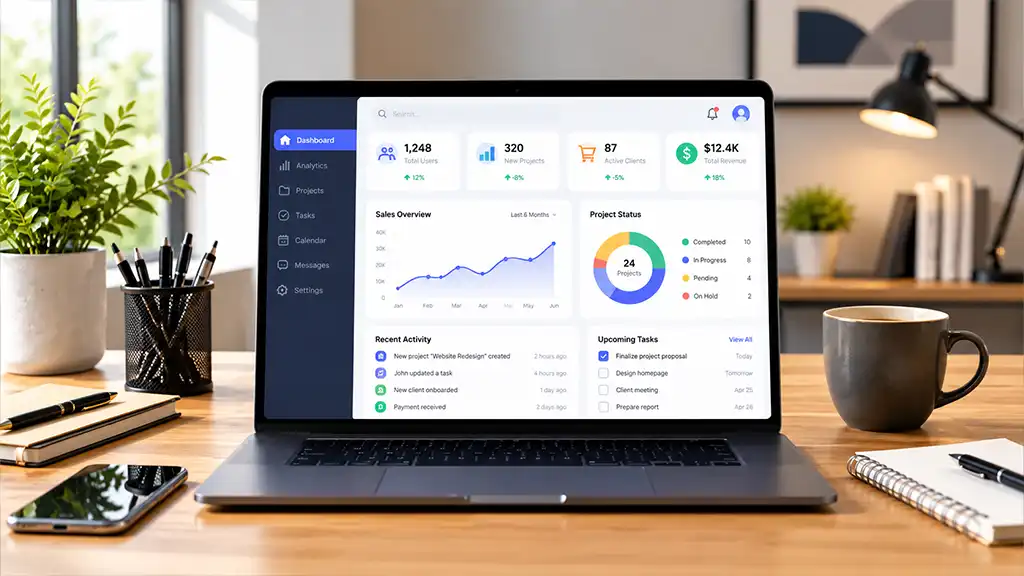
For anyone who charges by the hour, time tracking is closely tied to getting paid. A missing 25-minute call, a timer attached to the wrong project, or a session accidentally left running can create inaccurate invoices, complicate client conversations, and make a profitable project look less profitable than it really is.
That makes the best time-tracking app less about having the biggest feature list and more about reducing the effort between completing work and recording it correctly. The right tool should let you start tracking quickly, organize clients and projects, apply the appropriate hourly rates, and turn recorded work into useful reports or invoices.
This comparison looks at several options through that lens. Rather than assuming every hourly professional has the same needs, it considers different workflows, including freelancers, consultants, creative professionals, and agencies handling several clients.
Reliable time capture comes first. When starting a timer takes too many steps, it becomes easy to skip tracking altogether. Desktop and mobile apps, browser extensions, calendar integrations, reminders, manual entries, and automatic tracking can all help prevent missing hours. Easy editing matters too, since mistakes should be correctable without rebuilding an entire timesheet.
Billing controls are equally important. Different clients, projects, tasks, or team members may have different rates, so the app should clearly distinguish billable from non-billable work and show which rate is being used. Reporting and invoicing then complete the process. The goal is not simply to record time but to move smoothly from track → review → approve → bill.
Toggl Track suits consultants, freelancers, designers, developers, and other professionals who want time tracking to stay simple. It offers web, desktop, and mobile tracking, manual entries, calendar-based tracking, browser integrations, and automatic activity tracking. Its Starter plan introduces features such as billable rates, project estimates, rounding, and revenue reporting.
Its flexible rate structure is particularly useful for hourly billing. Rates can be assigned at the workspace, member, project, project-member, or task level. That helps when one client pays $80 per hour while another pays $120, or when certain specialized tasks use separate rates. Higher plans also support historical rates, which can help preserve accurate reporting after prices change.
Toggl Track is a strong option when effortless time capture is your main concern. It does support invoicing, although businesses with more complicated accounting requirements may still want to connect their tracking system to dedicated accounting software.
Harvest is designed for users who want time tracking and invoicing to remain closely connected. Along with timers and timesheets, it handles expenses, billable hours, invoices, reminders, and payment integrations. That can reduce the amount of administrative work required after a project is completed.
Its integration options are another benefit. Harvest connects with platforms including Asana, Jira, GitHub, Trello, Google Calendar, QuickBooks Online, Xero, and Stripe. Connecting tracking with the tools where work already happens can be easier than creating a separate administrative routine at the end of each day.
Harvest has a free option for individual freelancers with limited projects, while paid plans expand its capabilities for teams and larger workloads. For consultants and small service businesses that want time, expenses, invoicing, and payments connected, it provides a fairly complete workflow.
Clockify stands out for professionals who want substantial tracking functionality while keeping costs in check. Its free level includes core time tracking, timesheets, calendar tools, automatic tracking, desktop and mobile apps, reports, and reminders. Paid plans add features such as billable rates, historical rates, time audits, invoicing, rounding, approvals, and additional administrative controls.
For billing, its auditing capabilities can be especially helpful. Paid features allow users to identify questionable or incomplete entries, apply appropriate rates, separate billable hours, and create invoices using tracked time and expenses. The Standard plan also includes invoice management and recurring invoices.
Clockify can work well for budget-conscious freelancers, expanding teams, and businesses whose tracking requirements are becoming more structured. Its broader administrative feature set may feel unnecessary, however, for someone who only wants a basic timer.
Most conventional trackers depend on remembering to click Start. Timely approaches the problem differently through its Memory system, which can automatically capture activity from supported desktop and web applications. That information can then help reconstruct the workday.
This can be useful for people who move constantly among email, research, documents, meetings, and client tasks. Instead of relying entirely on memory after forgetting a timer, they can use recorded activity to rebuild missing billable time.
Automatic monitoring also makes privacy an important consideration. Timely says individual Memory activity stays private to the user and that it does not rely on screenshots or keystroke recording. Users can review the captured information before converting it into shared timesheet entries.
Timely is more expensive than several basic timer-focused alternatives, so its value depends on how much time you typically lose through forgotten tracking. For someone regularly reconstructing previous work from calendars and browser history, automatic capture may be worth considering.
My Hours provides a middle ground for freelancers and small teams that need organized project tracking without adopting a large business platform. Its plans cover projects, clients, tasks, reports, and billable rates, while Pro adds more detailed controls for rates, budgets, and permissions.
One useful capability is managing changes to rates. Users can maintain labor and billable rates and determine whether a change applies to new entries, existing records, or entries from a particular date onward. Entries that are locked, approved, or already invoiced can remain protected against later changes.
That makes My Hours a practical choice for professionals who primarily need clear organization around clients, projects, tasks, rates, and reporting.
The right choice depends on where your current process causes the most trouble. If forgotten timers are the main issue, Timely’s automatic approach may be worth examining. If your hours are accurate but turning them into invoices takes too much effort, Harvest offers a more connected workflow. Toggl Track is well suited to flexible, low-friction tracking and rate management. Clockify provides considerable administrative control, while My Hours focuses on practical project and rate organization.
Before subscribing, recreate a real workweek during the trial. Add three actual clients, assign different rates, track a meeting, correct an incorrect entry, classify some work as non-billable, and create the report you normally use for billing. The tool that handles your actual process with fewer corrections may be more useful than one that simply advertises more features.
Create individual clients and projects rather than placing everything under a generic work category. Give entries descriptions that remain understandable later—for example, “Homepage accessibility review” communicates more than simply “work.” Tracking non-billable activity is also useful because unpaid administration and support affect the true economics of an hourly engagement.
Review your time before preparing invoices. Check for unusually long sessions, missing descriptions, overlapping entries, incorrect projects, and meetings that were never logged. A few minutes of daily checking is usually easier than trying to reconstruct an entire month when an invoice is due.
There is no single choice for every freelancer. Toggl Track is particularly suited to straightforward, flexible tracking, while Harvest is useful when invoicing needs to stay closely connected to recorded hours. Your priorities—capturing time, applying rates, or preparing invoices—should guide the decision.
Yes. Many paid systems let you assign hourly rates to billable work and calculate totals from recorded time. Even so, entries should be reviewed before an invoice is sent because duplicate time, incorrect projects, or missing breaks can change the amount.
Generally, yes. Administration, internal meetings, revisions, and other unpaid activities reveal how much effort a project actually requires. That information can expose engagements that appear profitable from invoiced hours but consume considerable unpaid time.
It depends on the workflow. Automatic tracking can help people who regularly forget timers or switch between tasks. Manual timers may be preferable for long, clearly defined work sessions. Combining automatic activity records with a final manual review can also work well.
Descriptions should identify the work without becoming a diary. “Product page copy revision,” for example, is more useful than “writing.” Specific entries make invoice reviews easier and provide clearer answers if a client asks how time was spent.
Yes. Many professional trackers support multiple rates at the client, project, task, or team-member level. Because rate structures vary between products and plans, test your actual billing setup during the trial.
No. If your existing accounting software already works well, strong reports and exports may be sufficient. Built-in invoicing is most useful when you want to reduce duplicate data entry and move directly from approved hours to billing.
A brief daily review works well for many hourly professionals. Your memory is still fresh, making missing or incorrect entries easier to identify. Reviewing everything again before invoicing provides another opportunity to catch rate or classification mistakes.
They can be for simple solo workflows. Paid plans become more useful when you need multiple rates, approvals, historical rates, advanced reporting, invoicing, team controls, or deeper integrations.
Test the complete billing process, not just the timer. Set up real clients and projects, assign rates, switch tasks, correct an entry, record non-billable work, review a report, and generate or export billing information. This exposes workflow problems that a feature list may not reveal.
The most useful time-tracking app for hourly professionals is the one that makes accurate billing easier. Toggl Track emphasizes flexible capture, Harvest keeps tracking and invoicing closely connected, Clockify offers extensive controls, Timely helps recover time through automatic activity capture, and My Hours focuses on practical project and rate management. Rather than selecting an app because it has the longest feature list, test it against your actual billing routine. Accurate entries, correct rates, simple corrections, and clear billing information matter more than features you never use.